Explore a modern touch-style desktop interface through an interactive, risk-free simulation on your PC
Explore a modern touch-style desktop interface through an interactive, risk-free simulation on your PC
Vote (121 votes)
Program license Free
Developer Windows 8 beta
Works under Windows
Vote
(121 votes)
Developer
Windows 8 beta
Works under
Windows
Program license
Free
Pros
- Provides a risk-free way to explore a Metro-style Windows 8 interface concept
- Runs as a standalone program without deeply altering your system
- Includes a mix of interactive elements (including a functional music player)
- Web browsing support is available through Google Chrome
Cons
- Not a full operating system experience, many areas are only simulated
- Realism varies, and the overall simulation can feel shallow after a short time
- Better suited to curiosity and light testing than serious evaluation
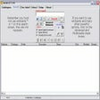
Windows 8 Simulator is a small, standalone program that mimics key parts of the Windows 8 interface in a window, letting you explore the Metro-style look and basic interactions without committing to an operating system install.
It’s for anyone who wants a quick, low-risk way to get familiar with the Windows 8 Start experience and its touch-oriented design ideas, mainly for curiosity and light testing.
A simulated Windows 8 “session,” not a replacement desktop
Once running, the app presents a staged experience that resembles a Windows startup flow, including a loading sequence and sign-in screens, before dropping you into a Metro-style environment. The emphasis is on giving you something to click through and recognize, rather than replicating Windows behavior in a strict, one-to-one way. This is a UI simulation, not a full operating system.
What you can interact with inside the interface
The strongest part of Windows 8 Simulator is the chance to move around a Start-style layout and sample a handful of included elements. You can explore tiles and jump into a mix of “apps” and interface areas that are meant to suggest what Windows 8 would feel like.
Some components are more convincing than others. For example, the file manager area is presented more as a clickable mock than a complete working environment, while other inclusions, such as a music player, are more functional. There are also small extras like a basic notepad for typing and even a simple piano-style game, which underline the app’s playful, demo-first nature.
Browser choice and web access
Web browsing in Windows 8 Simulator is handled through Google Chrome. The browser presence fits the “try a bit of everything” approach, and it can load real web pages with addresses you enter, even if parts of the presentation lean toward a staged, simulator vibe rather than an authentic Windows component.
Where the illusion breaks
Windows 8 Simulator is best approached as an introduction and a visual demo. It does not aim for perfect realism, and the experience can feel shallow once you’ve clicked through the main screens. It’s also not a full-screen, full-desktop recreation of Windows, and it should not be mistaken for a tool that can replace normal Windows workflows. It’s a preview of ideas and layout, not a complete environment.
Performance expectations
Because it’s a lightweight mini-application rather than an operating system build, it doesn’t demand special hardware and is intended to run smoothly even on older PCs. That makes it easy to treat as a quick look at the interface direction, without worrying about system impact.
Pros
- Provides a risk-free way to explore a Metro-style Windows 8 interface concept
- Runs as a standalone program without deeply altering your system
- Includes a mix of interactive elements (including a functional music player)
- Web browsing support is available through Google Chrome
Cons
- Not a full operating system experience, many areas are only simulated
- Realism varies, and the overall simulation can feel shallow after a short time
- Better suited to curiosity and light testing than serious evaluation